
modelai3d

Create with a free 3d generator in Modelai3d

A free 3d generator gives you a practical starting point from a written idea. Describe the object, mood, materials, and intended use, then let Modelai3d shape the first concept so you can review and refine it.

Free to start · no signup
Modelai3d workspace showing a generated three-dimensional object

Prerequisites

Modelai3d works best when the request gives the generator a recognizable subject, a few visible design choices, and a clear reason for the asset.

  1. 1

    Name the subject

    Begin with one object or character and state what it should be. “Small desk lamp” is easier to interpret than a broad request such as “modern scene.”

  2. 2

    Add visible decisions

    Specify silhouette, materials, colors, proportions, and distinctive details. These cues help Modelai3d separate the main form from decorative noise.

  3. 3

    Set the intended use

    Mention whether the result is for a concept board, game blockout, product mockup, reference study, or another early-stage purpose.

One full run-through

Here is a complete Modelai3d pass, from a rough idea to a more useful revision. The goal is not to write a perfect prompt; it is to make each revision easier to judge.

Product designer

Describe a compact desk lamp with a weighted base, flexible neck, warm metal finish, and a soft studio-lighting setup.

Modelai3d creates a visual direction that makes the proportions, finish, and overall silhouette easier to discuss before detailed CAD work.

3d model ai

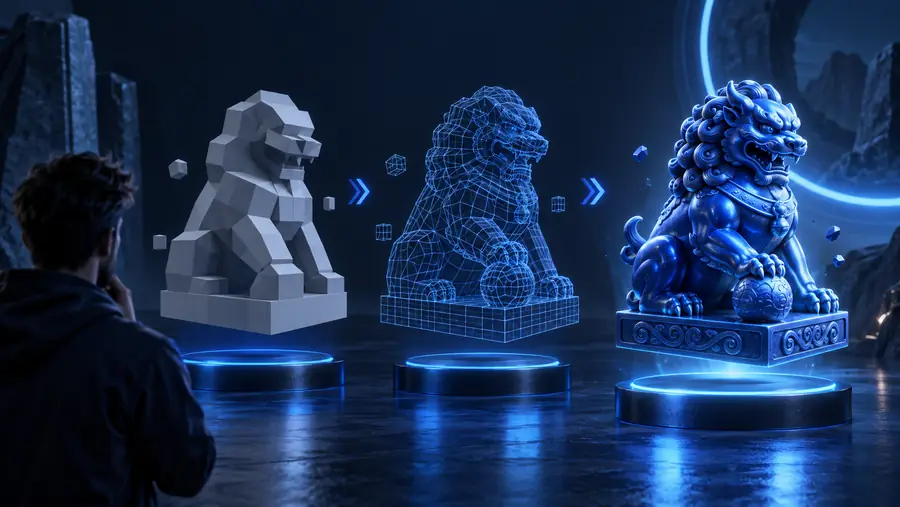
Game artist

Ask for a stylized forest shrine with broad steps, carved wood, moss, and a readable shape for a third-person environment.

The first pass becomes a blockout reference. You can then adjust the scale, atmosphere, and focal details without restarting from a blank screen.

free 3d model ai generator

3D printing hobbyist

Describe a simple phone stand with a broad base, a back support, a cable opening, and softened corners.

Modelai3d gives you a shape to inspect for balance and usability before you spend time preparing the design for fabrication.

3d models for printing

Visual artist

Request a friendly blue creature with rounded limbs, a glossy surface, and a clear front-facing pose for drawing practice.

The generated concept supplies a consistent reference for gesture, lighting, and surface decisions while you develop your own artwork.

model 3d for drawing

Options table

Choose how much direction to put into the request. These practical levels help you decide whether to stay broad, describe the surface, or define the presentation as well.

Keep the first request centered on one recognizable object.
1 subject
A shape, a material, and a defining detail give Modelai3d useful direction.
3 design cues
Inspect the first concept, then revise the most visible weakness instead of changing everything.
2 review passes
Begin in the Modelai3d workflow without assembling a local modeling setup first.
0 software installs

What fails

A generated model is a draft, not a guarantee of production-ready topology or exact measurements. Compare the starting request with the kind of revision that usually produces a clearer result.

Early 3D generator result with a loose shape and limited detail Loose first pass
Refined AI-assisted 3D model concept with clearer form and surface detail Directed revision
Sharper prompts usually improve the visible priorities first; they do not replace inspection.

Give your next idea a shape

Modelai3d is most useful when you treat generation as a short creative loop: describe, inspect, identify one problem, and revise. Try a free 3d generator workflow for your next prop, character, product concept, or visual reference.

Generate a 3D model
  • Start with one clear subject
  • Add only the details you can judge
  • Use each result to guide the next prompt

FAQ

A free 3d generator is a tool that turns a written description into an initial three-dimensional concept. Modelai3d is designed for exploring shapes, materials, and visual directions before more detailed modeling work.

You describe the subject and its important visual properties, then the generator interprets those instructions into a model concept. The strongest workflow is iterative: review the result, identify one issue, and make a focused revision.

Yes. It can provide a visible starting point without requiring you to understand every modeling tool immediately. Modelai3d is especially useful for learning how descriptions of form, proportion, and material affect a 3D result.

Treat an automatically generated model as a concept until you inspect it carefully. Before printing or production, check scale, watertightness, topology, structural strength, and any technical requirements of your target workflow.

Name one subject, then add its silhouette, materials, colors, distinctive features, and intended use. A prompt such as “compact blue utility truck, rounded panels, chunky wheels, studio presentation” gives Modelai3d clearer priorities than a vague request for something futuristic.

Start creating
Start creating