modelai3d

Workflow comparison

A practical model 3d alternative online

A model 3d alternative online is most useful when it removes setup without hiding tradeoffs. This guide compares Modelai3d with a traditional local workflow so you can choose by cost, quality, speed, and control.

Online 3D model workflow comparison

Where quality differs

There is no universal winner. The right alternative depends on whether quality means visual plausibility, clean topology, exact dimensions, or art-direction control.

Modelai3d online workflow

Our pick

Best for fast concept models and accessible iteration.

  • Starts in a browser with no desktop modeling stack to configure.
  • Useful for exploring several directions before committing to detail work.
  • Makes early review easier for teammates who do not use 3D software.
  • Generated geometry may need inspection, cleanup, or retopology.
  • Fine control over edge flow and production topology is more limited.
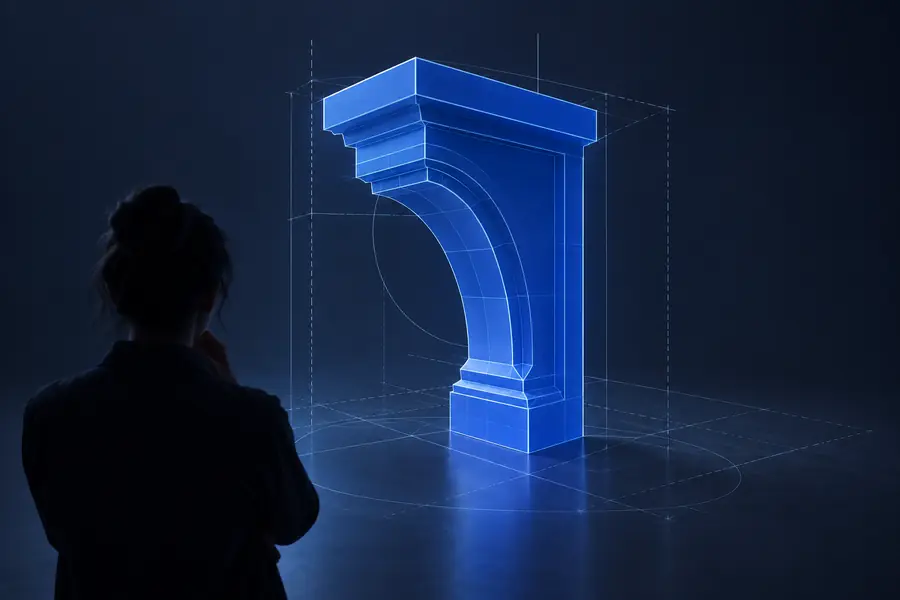
Traditional local 3D workflow

2

Best for exact assets, controlled topology, and production finishing.

  • Supports detailed mesh edits, UV work, materials, rigging, and export checks.
  • Offers repeatable control over dimensions and scene construction.
  • Works well when an artist must own every modeling decision.
  • Requires software, hardware, learning time, and a configured workspace.
  • Early concepts can take longer before they are ready to review.

Hybrid workflow

Our pick

Best when speed and final control both matter.

  • Uses Modelai3d for a starting point, then refines the chosen asset locally.
  • Reduces blank-page work without surrendering final quality checks.
  • Lets teams reserve specialist time for the parts that actually need it.
  • Adds a handoff between tools and may require format conversion.
  • The initial output still needs a clear acceptance checklist.

Related comparisons

Use these companion pages to compare the same decision from a different angle.

Total-cost table

Think in total effort rather than subscription language: setup, iteration, review, and cleanup all affect the real cost of a 3D decision.

Modelai3d online
Local 3D workflow

Initial setup

Modelai3d online

Open the online workflow and begin from a browser.

Local 3D workflow

Install software, configure hardware, and prepare a project.

Learning investment

Modelai3d online

Lower barrier for prompt-led exploration and review.

Local 3D workflow

Higher investment for modeling, shading, and export skills.

Concept iteration

Modelai3d online

Quickly test broad shapes and visual directions.

Local 3D workflow

Slower when every early variation is modeled by hand.

Topology control

Modelai3d online

May require cleanup when edge flow matters.

Local 3D workflow

Direct control from the first face and edge.

Dimension accuracy

Modelai3d online

Needs checking when measurements are critical.

Local 3D workflow

Strong control through explicit scene and modeling tools.

Collaboration

Modelai3d online

Easy to share an early visual direction with non-artists.

Local 3D workflow

Often depends on compatible software and scene files.

Final refinement

Modelai3d online

Usually benefits from a downstream 3D application.

Local 3D workflow

Complete environment for sculpting, UVs, rigging, and materials.

Best cost lens

Modelai3d online

Lower friction for exploration and one-off concepts.

Local 3D workflow

Better value when the asset needs repeated, controlled production work.

Where quality differs

Define quality before comparing tools. A convincing silhouette, a clean mesh, and a production-ready asset are different deliverables.

Choose this when

You need a visual direction, prop idea, or rough scene quickly

Choose Modelai3d first, then inspect the result before sharing it as a concept.

The online path reduces blank-page work and lets reviewers react to something concrete sooner.

Choose this when

You need exact dimensions, clean topology, or a deformable character asset

Choose a local workflow or use Modelai3d only as a starting point.

Manual tools expose the controls that determine edge flow, scale, UVs, and rigging behavior.

Choose this when

You need both a fast concept and a dependable final asset

Choose the hybrid route: generate broadly online, refine narrowly on desktop.

It assigns each stage to the environment that handles it best instead of forcing one tool to do everything.

Where time differs

The largest time difference appears before refinement. Online generation can make the first reviewable object sooner, while local tools become more efficient when the requirements are already known.

Concept review

Browser-first

Review starting point

“The useful change is not skipping judgment; it is having a concrete object to judge before the team spends a full modeling session.”

Product designer

Asset exploration

Explore, then refine

Iteration pattern

“Several rough directions can be compared before choosing which one deserves detailed manual work.”

Art director

Production handoff

Generate, inspect, polish

Recommended handoff

“The online result is valuable when it removes repetitive blocking-in, but the final pass still belongs to the artist.”

3D artist

When switching is worth it

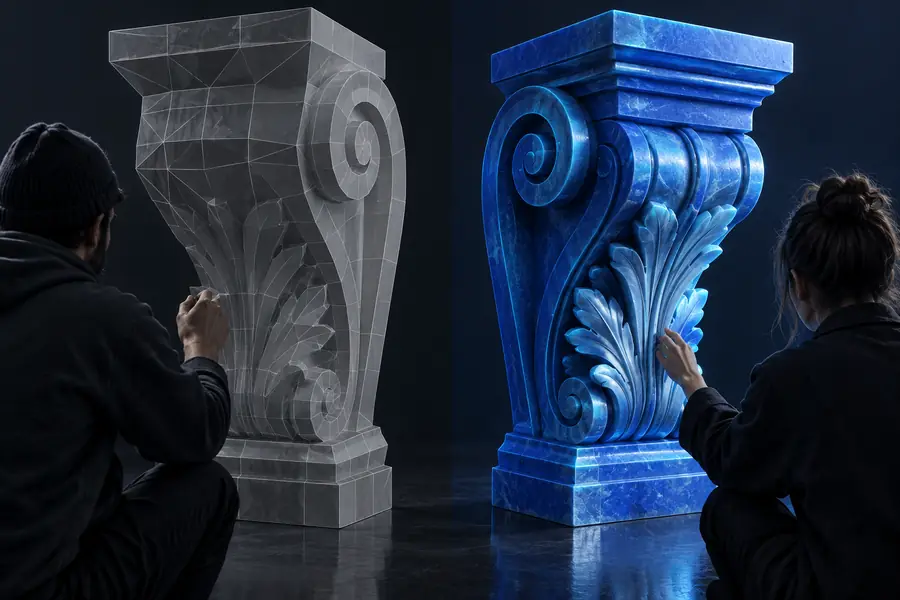
Use the slider as a mental model: an online first pass can replace the blank page, while a local finishing pass protects the details that matter.

Early online 3D model concept Finished 3D model prepared for download Early concept Refined result

Compare the starting point with the finishing pass.

Early conceptRefined result

When switching is worth it

These four checkpoints summarize the decision without pretending that every project has the same requirements.

Place to begin an online-first concept
1 browser
Practical choices: online-first or local-first
2 paths
Review geometry, scale, and intended use
3 checks
Treat generated output as final without inspection
0 assumptions

When switching is worth it

Choose the workflow that fits the asset

Modelai3d is worth trying when the cost of setup is slowing down exploration. Keep a local workflow in the loop whenever topology, dimensions, rigging, or repeatable production quality are non-negotiable.

Start with Modelai3d when you need a fast, shareable direction. Stay local when you need detailed control. For many teams, the most practical model 3d alternative online is not a total replacement but a faster first stage followed by deliberate refinement.

Try the online workflow
  • Use online generation for early concepts and visual exploration.
  • Inspect scale, geometry, materials, and export behavior before handoff.
  • Move important assets into a local tool when production control matters.

Comparison FAQ

Answers to the practical questions behind choosing an online alternative.

It is a browser-based way to explore or generate 3D assets instead of beginning in a locally installed modeling application. The main benefit is lower setup friction, while the main tradeoff is that important assets may still need manual inspection and refinement.

Neither is better for every project. An online workflow is often better for quick concepts, early review, and accessible collaboration; local modeling is usually better for exact dimensions, topology, UVs, rigging, and detailed finishing.

It can replace some early blocking and exploration, but it should not automatically replace a full desktop pipeline. If the asset needs controlled topology, animation preparation, complex materials, or precise edits, a local tool remains valuable.

Switch when installation, setup, or blank-page modeling is slowing down the first useful result. The change is especially worthwhile for concept work, visual references, and assets that need several rough directions before one is refined.

Check the silhouette, scale, mesh continuity, hidden geometry, materials, file format, and intended downstream use. If the model will be printed, animated, manufactured, or edited extensively, add a deliberate cleanup and validation pass.

Start creating
Start creating