Character illustrator
Need a repeatable figure reference for gesture, silhouette, and three-quarter studies.
A model 3d for drawing gives you a stable subject to rotate mentally across several sketches.
model 3d for artDrawing reference
Modelai3d turns a written idea into a practical three-dimensional reference for sketching, character studies, product concepts, and perspective practice. Use the model 3d for drawing as a guide, not a replacement for your own decisions.

Use cases
A useful modelai3d reference should support the drawing task in front of you: seeing form, checking proportion, and exploring views without distracting surface detail.
Need a repeatable figure reference for gesture, silhouette, and three-quarter studies.
A model 3d for drawing gives you a stable subject to rotate mentally across several sketches.
model 3d for artNeed to test a creature, prop, or costume idea before committing to a finished sheet.
Modelai3d helps expose proportion problems while the idea is still easy to change.
model 3d for artNeed quick blocking references for camera angle, body placement, and scene continuity.
A simple model 3d for drawing can clarify staging before the panel is rendered.
model 3d for artNeed a low-pressure way to study volume, planes, and perspective from an original subject.
Modelai3d supplies a starting object that can be simplified into constructive drawing exercises.
model 3d for artReference essentials
These are the practical checks that make a modelai3d output useful beside a sketchbook or drawing tablet.
Reference workflows
Choose the workflow that matches the stage of your drawing. Keep the first model simple, then use it to answer one visual question at a time.
Describe the subject, action, and camera angle. Use the resulting modelai3d form to check gesture and balance before refining the drawing.
Ask for clean, readable volumes rather than intricate materials. This model 3d for drawing approach keeps attention on cylinders, boxes, planes, and proportion.
Place a subject in a useful view before drawing the final scene. Modelai3d can act as a visual anchor for scale, overlap, and foreshortening decisions.
Visual comparison
The best model 3d for drawing is not the most detailed one. It is the one whose silhouette, planes, and pose remain easy to read when reduced to simple lines.
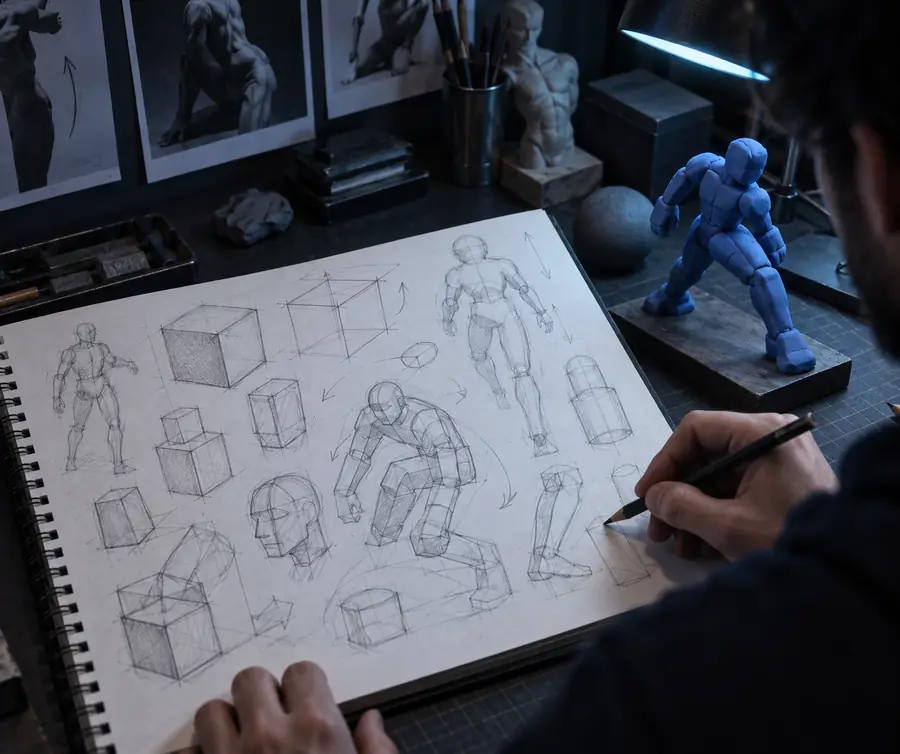 Unclear reference
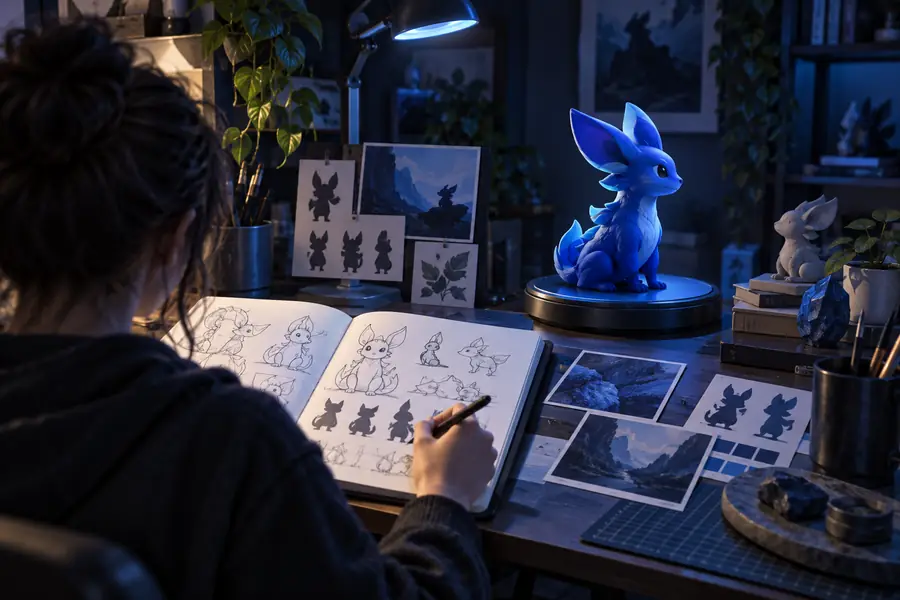 Drawing-ready reference
Practical outcomes
A small amount of modelai3d planning can prevent repeated redraws when the subject, pose, or perspective is still uncertain.
Character study
Pose and volume
Study focus
“The reference keeps the gesture consistent while students focus on construction instead of guessing the far side of the body.”
Visual development
Silhouette first
Review focus
“A rough model gives the team something concrete to critique before details make the wrong proportion expensive to change.”
Perspective practice
Multiple viewpoints
Reference set
“I can use the same subject for several viewpoints, which makes proportion checks more deliberate than drawing from memory.”
Choose your approach
Use the simplest route that answers the drawing problem. Modelai3d is most helpful when you know what visual uncertainty you want to remove.
Choose this when
When pose, proportion, or perspective is blocking the first sketch.
A 3D form gives you a stable visual anchor without requiring a finished illustration.
Choose this when
When anatomy, natural gesture, fabric behavior, or realistic lighting is the main study goal.
Real observation contains details that a generated model may simplify or interpret differently.
Choose this when
When you need production-ready topology, exact dimensions, or animation controls.
A model 3d for drawing is a reference aid; it is not automatically a final asset for every pipeline.
Honest limits
Modelai3d can accelerate visual thinking, but a drawing reference still needs judgment. Watch for these limitations before building the final artwork.
Generated subjects can have awkward balance, unclear joints, or a gesture that does not carry through the whole form.
Workaround
Request a simple readable pose and redraw the gesture line yourself before adding anatomy.
Fine structures can be inconsistent or too complex to use as direct drawing authority.
Workaround
Treat small features as placeholders and use separate observation for hands, faces, and props.
A visually plausible model may still give you a camera angle that does not match the composition you want.
Workaround
Use the modelai3d output to test the view, then establish your own horizon, vanishing points, and crop.
Textures, accessories, and dramatic lighting may make the reference harder to simplify into lines.
Workaround
Ask for clean materials, clear planes, and neutral lighting before starting the drawing.
Start a reference
Describe the subject, pose, and viewpoint you need, then use the result as a flexible reference beside your drawing. Keep the first pass simple so your attention stays on structure.
Create a drawing referenceScenario FAQ
Answers for artists deciding whether a generated 3D reference fits their drawing process.
A model 3d for drawing is used as a visual reference for pose, proportion, form, and perspective. It can help artists block a subject before refining the sketch with their own line work.
Yes, you can describe a character, pose, viewpoint, and level of simplicity to create a starting reference. Check the silhouette and anatomy before treating the result as a guide for a finished figure.
Neither is universally better. A modelai3d reference is useful when you want to explore an original subject or a controllable viewpoint, while photos are often stronger for natural anatomy, gesture, and surface observation.
Start with enough detail to identify the major forms, but avoid unnecessary textures and accessories. Clear volumes and a readable silhouette are usually more valuable than a highly decorated model.
It is better treated as a reference or construction aid rather than a finished drawing. Use it to inform your perspective and proportions, then make the final artistic choices in your own medium.