modelai3d

For visual makers

Build stronger concepts with model 3d for art

Model 3D for art can sit between your reference board and your finished image, giving you a reusable form to explore shape, lighting, perspective, and presentation before committing to a final piece.

Free to start · no signup
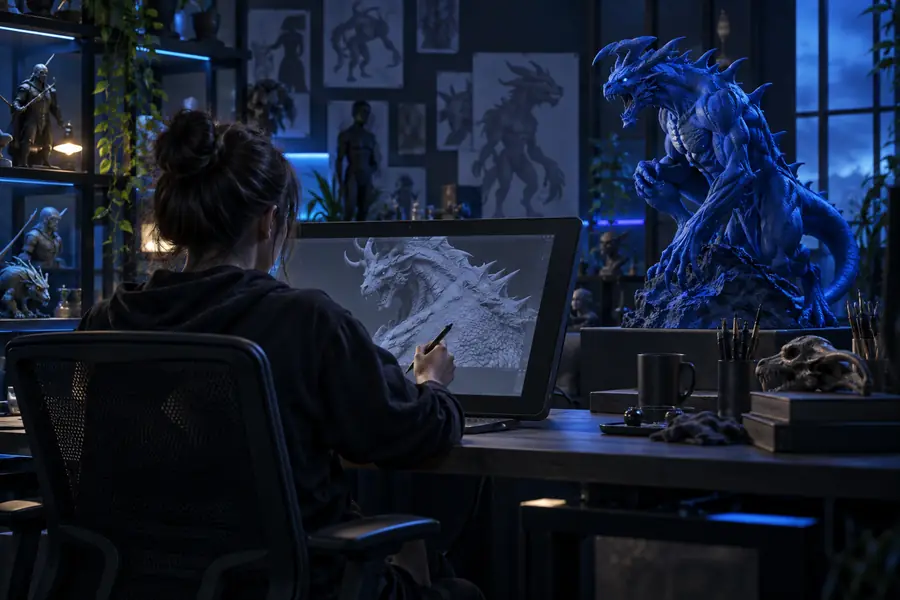
3D model concept prepared for an art workflow

The audience's existing pipeline

Artists rarely need a model in isolation. They need a controllable visual reference that can move from exploration into drawing, painting, layout, or presentation without disrupting the way they already work.

Concept artists

You are testing silhouettes, costume shapes, or creature proportions before producing a polished keyframe.

Use a generated base as a turntable reference, then paint over it or rebuild only the parts that matter for the final concept.

model 3d for drawing

Illustrators

A character, prop, or environment must stay consistent across several viewpoints and images.

Keep a repeatable form nearby while you develop composition, gesture, lighting, and surface treatment in your preferred 2D tools.

model 3d for drawing

Storyboard artists

You need quick spatial guidance for a scene, vehicle, room, or camera angle without blocking the drawing session.

Create a rough scene reference, check perspective from multiple views, and return to boards with clearer staging decisions.

model 3d for drawing

Visual development teams

Several artists are exploring the same subject and need a shared shape language before style decisions are locked.

Use a common base to compare variations, annotate changes, and keep exploratory work aligned across the team.

model 3d for drawing

Where we slot in

A useful art workflow starts with clear intent, not a perfect prompt. These simple prerequisites help the output become a reference you can actually use.

You must have

Without every one of these the route does not run.

  • A clear subject or object to explore, such as a character, prop, creature, room, or vehicle

    Name the main form before describing style.

  • A specific purpose for the model, such as pose reference, silhouette testing, composition, or paintover

    The intended use determines how much detail matters.

  • A few visual constraints covering proportions, mood, material, era, or shape language

    Constraints reduce generic results and make comparisons easier.

Nice to have

Skip any of these and the route still works — they only make it faster.

  • A reference image, sketch, or written description when the subject has distinctive features

    Useful when likeness, costume, or construction must stay consistent.

  • A 2D finishing tool for paintover, annotation, compositing, or final illustration

    The model is a creative reference, not a replacement for your final art process.

Before and after

Choose the workflow that matches the stage of your art process. Each one keeps the model in a supporting role while leaving authorship and finishing decisions with the artist.

  • Explore
  • Refine
  • Present
  1. Explore Verified

    Block a visual idea

    Start from a short description of the subject and its visual priorities. This is useful when the idea is clear enough to discuss but not yet resolved enough to draw from every angle.

    1. Describe the subject and its strongest visual traits.
    2. Generate a rough form for silhouette and proportion checks.
    3. Save the useful version as a reference for sketches or paintovers.
    model 3d for drawing
  2. Refine Verified

    Check form from multiple views

    Use the model as a neutral inspection tool before refining line, color, or surface detail. Rotating around the subject can reveal proportion problems that a single thumbnail hides.

    1. Choose the view or pose that matches the composition.
    2. Inspect the silhouette, overlaps, and major planes.
    3. Translate only the useful information into the final drawing.
    model 3d for drawing
  3. Present Verified

    Build a presentation reference

    When an idea needs to be shared, a clean model can communicate the intended object faster than a paragraph. Pair it with notes about mood, camera, materials, and what remains open to interpretation.

    1. Define the asset's role in the scene or design language.
    2. Select the details that need to survive handoff.
    3. Use the model alongside sketches, thumbnails, or style frames.
    model 3d for drawing

Deliverable spec

The handoff is simple: make the intention clear, inspect the form, and bring only the useful information into the finished artwork.

  1. 1

    Describe the visual target

    State what you are making, who or what it is for, and which features must be visible. Include shape language, proportions, mood, and any important references.

  2. 2

    Review the form as reference

    Look for silhouette, construction, camera angle, and consistency rather than treating the first result as final. Keep the version that helps you make a better creative decision.

  3. 3

    Finish in your own medium

    Sketch, paint, edit, composite, or redraw from the reference. The model supplies structure and perspective while your chosen medium supplies voice, texture, and final authorship.

The strongest results are practical rather than ornamental: a model earns its place when it removes uncertainty from a specific art decision.

Character exploration

A repeatable character reference

Useful result

“The rough form gives me something consistent to turn around while I solve the costume and silhouette in 2D.”

Concept artist

Independent visual development

Prop design

A clearer perspective guide

Useful result

“I can test the object from the same camera logic before I spend time polishing the illustration.”

Illustrator

Editorial and narrative illustration

Environment ideation

A shared spatial starting point

Useful result

“The model helps the team discuss the space in concrete terms while the final style remains open.”

Visual development artist

Small creative production

Turn the next art idea into a useful reference

Start with one subject, one visual goal, and a few constraints. Modelai3d gives you a practical form to inspect, redraw, paint over, or use as a discussion point before the final artwork takes shape.

Create an art model
  • Start from a written concept
  • Use the result as a reference, not a replacement
  • Move the useful decisions into your own medium

Scenario FAQ

Answers for artists deciding where a generated 3D form belongs in an existing creative process.

Model 3D for art is useful for exploring characters, props, creatures, environments, and other visual ideas from multiple viewpoints. Artists can use the result for pose reference, perspective checks, paintovers, storyboards, concept development, or team discussion.

Yes. A model can provide structure for proportions, silhouette, perspective, lighting direction, and spatial relationships. You can draw from it directly, simplify it into an underdrawing, or use it only to solve a difficult angle before creating the final image.

It depends on the role you need it to play. Generated geometry is often most valuable as a starting point or reference, while the final artwork may still require sculpting, retopology, material work, paintover, compositing, or a complete redraw in your own style.

Describe the subject, its purpose, and the features that matter most to the image. Add useful constraints such as proportions, pose, camera angle, mood, material, period, or shape language, and include a reference when a distinctive detail must be preserved.

Treat the model as scaffolding rather than the finished voice of the piece. Use it to solve structure and viewpoint, then make your own decisions about line, color, texture, exaggeration, lighting, composition, and what to omit.

Start creating
Start creating