Game artist
Needs a character or prop that can deform, animate, and hold visual detail efficiently.
A polygon mesh with clean topology and optional subdivision is usually the practical starting point.
model 3d for art3D model guide
What are the different types of 3d models? This Modelai3d guide compares the main ways digital objects are built, represented, edited, and prepared for real use.

Before Modelai3d and similar tools, choosing a model type usually meant learning specialist software first and committing to a production method before seeing much of the result.
Modelai3d makes the choice easier to understand by starting with the intended result, then matching the object to a representation and workflow.
Decide whether the asset is for rendering, animation, a game, engineering, fabrication, or a quick visual concept.
Use polygon meshes for flexible visual forms, solid models for precise manufactured parts, or surface models for controlled exterior shape.
Modelai3d can help turn a description or reference into a useful starting point, which you can inspect and refine for the final context.
Check topology, scale, detail, and file compatibility before moving the asset into a renderer, editor, CAD package, or printing workflow.
The biggest shift is not that one type replaced every other type. Modelai3d and modern tools made it faster to compare representations and start from intent.
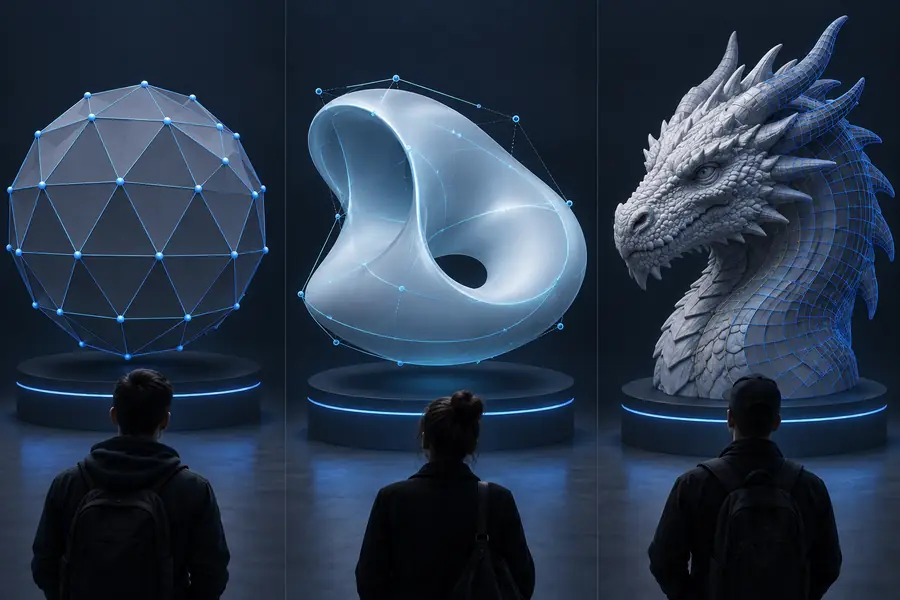
Artists, designers, engineers, and educators now move between model types instead of treating one method as a permanent identity. The comparison below shows the practical shift from a single-purpose asset to a reusable, context-aware result.
 Single-purpose workflow
 Context-aware workflow
Modelai3d is most useful when the starting idea is clear but the best representation is not. These examples show how the same subject can require different modeling decisions.
Needs a character or prop that can deform, animate, and hold visual detail efficiently.
A polygon mesh with clean topology and optional subdivision is usually the practical starting point.
model 3d for artNeeds to test the look of a lamp, package, vehicle, or household object before production.
A surface or polygon model supports visual iteration, materials, lighting, and presentation renders.
what is a 3d model used forNeeds exact dimensions, editable features, and dependable relationships between parts.
A solid model is better suited to precision, assemblies, measurements, and manufacturing checks.
3d models for printingNeeds to explore a form quickly from a written idea or reference image.
Modelai3d can provide an early mesh that becomes a useful blockout for drawing, sculpting, or scene design.
model 3d for drawingStart with the outcome, not the software label. Modelai3d gives you a practical way to explore a form, then decide whether the result should become a flexible mesh, a precise solid, or a controlled surface.
Try Modelai3dThe main types are polygon mesh models, solid models, and surface models. Meshes describe objects with vertices, edges, and faces; solids represent enclosed volume; surface models describe an object's exterior without necessarily defining its interior.
Polygon mesh is the most common type for games, animation, visual effects, product visualization, and many online workflows. It is flexible and widely supported, although its usefulness depends on clean topology and the level of detail required.
A mesh is primarily a surface made from connected polygons, while a solid model represents a complete volume with more precise geometric relationships. Meshes are usually convenient for visual work; solids are often better for engineering, dimensions, assemblies, and manufacturing.
No. A surface model focuses on the outer skin of an object and may leave the inside undefined, while a solid model describes an enclosed volume. Surface modeling is useful for complex exterior forms, whereas solid modeling is suited to objects that must be measured or fabricated.
For a beginner making characters, props, scenes, or visual concepts, a polygon mesh is usually the easiest place to start. Modelai3d can help create an initial form, but the best choice still depends on whether the final goal is rendering, animation, design review, or physical production.